SLYNUMBER
- 3.9
- Rating
- 500.00K
- Installs
- Free
- Price

 Analysis by App-foxy
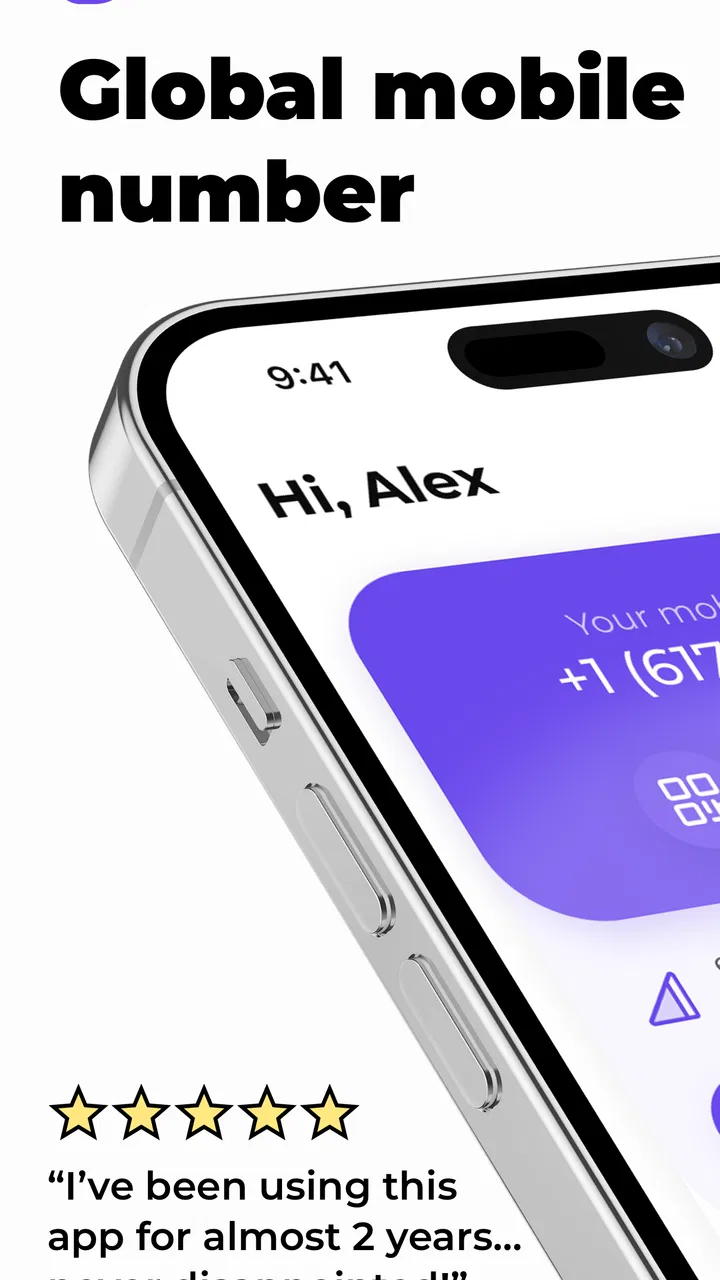
I approached SLYNUMBER as a practical communication tool rather than just another calling app. Its purpose is straightforward: it gives you a second phone number for making and receiving calls and texts, which can be useful when you want to separate personal conversations from another part of your life. The app is free to install, but optional in-app purchases range from $2.99 to $49.99 per item, so the important question is not simply whether it works, but whether a second number fits the way you actually communicate.
In my experience, the idea is more useful than it first sounds. A second number can keep marketplace conversations away from your main line, give a small business owner a separate contact point, or make it easier to manage temporary communication without handing out a personal number immediately. At the same time, this is still a communication app, not a complete replacement for every mobile carrier function. The smoothest experience depends on setting it up carefully and understanding where an app-based number fits in your routine.
Where SLYNUMBER Usually Feels Tricky
The first point of friction is expectation. Someone who sees “second phone number” may assume the app behaves exactly like the phone app supplied by a carrier. I would not approach it that way. It is better understood as an additional communication channel inside its own app environment. That distinction matters when you are waiting for a call, checking a text, or trying to decide which number to give someone.
You May Also Like

 Blood Strike: 2.5 Anniversary
Blood Strike’s Loadouts Turn Every Drop Into a Tactical Gamble
A close look at Blood Strike’s custom loadouts: how fast access to signature weapons reshapes its battle royale rhythm, rewards preparation, and narrows the gap between fights.

 Pandora - Music & Podcasts
Pandora’s Music Is Easy to Start, but Harder to Recover
Pandora’s strength is its low-effort path from a seed to a station. Its weak spot is how much confidence it asks you to place in connection, setup, and quiet recovery.

 8 Ball Pool
 Is Built on Rivalries, Rematches, and Routine
A close look at the rivalries, rematches, shared routines, and unanswered safety questions that turn a quick pool match into a persistent mobile community.

 Samsung Music
’s Quiet Strength Is Playing What You Already Own
Its reach comes less from spectacle than from dependable access to a personal library. That simplicity is both the app’s strongest retention engine and its ceiling.

 AccuWeather: Weather Radar
AccuWeather Review: A Quick, Clear Forecast for Everyday Decisions
For everyday plans, the best forecast is the one you can understand quickly. AccuWeather makes rain timing, radar, and local conditions easy to act on, with a few trade-offs.

 Hill Climb Racing
Why Hill Climb Racing Still Turns Crashes Into One More Run
A tiny car, a bumpy hill and one more upgrade: Hill Climb Racing keeps resurfacing because its simple chaos makes every near-miss feel personal.
More From Our News Desk



For example, imagine selling a used desk through an online marketplace. You may want buyers to reach you, but you may not want your everyday number attached to the conversation. SLYNUMBER can make that separation easier. You can keep the marketplace discussion associated with the second number, while family, banking contacts, and existing friends continue using your regular line. The benefit is organizational as much as it is private: you know why a message arrived on that number.
Where users can get stuck is forgetting to treat the additional number as a separate inbox and calling identity. If you answer quickly without checking which line is active, you may sound unprepared or reveal the wrong context. I recommend deciding in advance what the number is for and saving contacts with a clear note, such as “marketplace” or “work inquiries.” That small habit prevents confusion later.
Another source of uncertainty is the difference between receiving a message and receiving a notification. A call or text may be present in the app even when the alert is not as noticeable as the user expected. Before blaming the service, I would check whether the app is open, whether the device is connected, and whether the relevant notifications are enabled. General phone settings can make an otherwise working communication app appear silent.
The same applies to calls that seem to fail immediately. A weak connection, a restricted background setting, or an interrupted app session can look like a number problem. I would first retry from a stable connection, reopen the app, and check whether other functions are responding. If texts work but calls do not, that difference is useful evidence: it suggests the issue may be related to the call workflow or connection quality rather than the entire account.
What I would clarify before relying on it
I would also be careful about using a second app-based number for situations where a service expects a permanent primary mobile line. Important accounts may apply their own rules to phone verification, automated messages, or recovery contacts. That is not a reason to dismiss SLYNUMBER, but it is a reason to reserve it for communication tasks that genuinely benefit from separation.
For ordinary conversations, follow-ups, and calls connected to a specific activity, the additional line makes sense. For critical account recovery or anything where losing access would create serious trouble, I would keep my main carrier number involved unless I had already tested the arrangement and understood the consequences.
The app is aimed at a broad audience, with an Everyone content rating. That makes the concept accessible, but accessibility does not remove the need for good number management. I would not share the second number widely on day one. I would use it with one or two intended contacts first, confirm that calls and texts behave as expected, and then expand its use.
Setup Checks That Save Time
SLYNUMBER is developed by MobileSphere and is available as a free app. The current version is 11.6, and it requires Android 9 or later. Before installing, I would check the phone’s Android version and make sure there is enough room for a normal app installation. That sounds basic, but compatibility checks are often the quickest way to avoid troubleshooting a problem that begins before the app even opens properly.
Once installed, I would prepare the phone rather than rushing through the first screen. A clean setup starts with a reliable internet connection, a working device clock, and enough time to complete the number-selection or account steps without switching repeatedly between apps. Communication tools are especially sensitive to interrupted setup because the user is creating an identity that will later be used for incoming contact.
My preferred setup routine would look like this:
- Install the app on a device running Android 9 or newer.
- Use a stable connection during the initial setup.
- Choose a clear purpose for the second number before sharing it.
- Test one outgoing call and one text before depending on it.
- Ask a trusted contact to try reaching the new number.
- Save the number with a label that distinguishes it from the main line.
The test step is more important than it seems. Sending a message yourself only proves part of the workflow. An incoming call or text from another person checks the part many users actually care about: whether someone else can reach them and whether the alert is visible. I would perform that test while the app is closed, then repeat it with the app open. The comparison can reveal whether the difficulty is notification-related rather than number-related.
I would also inspect the phone’s notification controls after setup. If alerts are blocked, muted, or limited by a system setting, the app may appear unreliable even though the message is waiting inside it. Battery-saving features can also interfere with apps that need to notify you in the background. I would avoid aggressive restrictions for SLYNUMBER while testing, then adjust them only if I understand what changes.
A useful setup habit is to decide how you will answer calls from the second number. If the number is for work inquiries, use a short greeting that does not expose personal details. If it is for buying and selling, keep the greeting neutral. This makes the separation practical instead of merely technical. You are not just adding digits; you are creating a small communication boundary.
Keeping the two numbers from becoming one confusing inbox
Contact organization matters more here than it does with a single-number phone. I would add a note to each relevant contact explaining why that person has the second number. I would also avoid copying every personal contact into the app immediately. The more deliberately you populate the second channel, the easier it becomes to spot an unexpected message or remember the context of an unfamiliar caller.
There is another trade-off around convenience. A second number is useful precisely because it is separate, but separation means you must remember to check the correct place. If you only watch the standard phone and messaging apps, you may miss activity in SLYNUMBER. I would build a simple checking habit, especially during the first few days, until I know how noticeable its alerts are on my device.
The app has attracted around 1.3 thousand ratings and a 3.9 average, with more than 500 thousand installs. Those figures suggest that many people are trying the concept, while the rating also hints that the experience will not be equally smooth for every phone or use case. I would read that as a reason to test the exact workflow I need instead of assuming the app will behave identically across devices.
Recovering When a Call or Text Does Not Go Through
When something fails, I prefer a layered check rather than immediately reinstalling. First, I confirm whether the problem affects one contact or every contact. A single failed conversation may involve the other person’s connection, an incorrect number, or a temporary issue on their side. If every attempt fails, I then look at my own connection, app state, and device settings.
My recovery order would be simple:
- Confirm that the phone has a working internet connection.
- Close and reopen SLYNUMBER.
- Try a different contact or send a short test message.
- Check whether notifications are enabled on the device.
- Review battery or background restrictions that could delay alerts.
- Restart the phone if the app remains unresponsive.
This order avoids destroying useful evidence. If you reinstall immediately, you may not know whether the original trouble came from connectivity, notifications, or the app session. A quick test with a second contact is especially valuable. If one recipient responds normally while another does not, the problem is less likely to be the entire SLYNUMBER setup.
I would also distinguish delayed notifications from failed delivery. Open the app and look for the conversation before concluding that a message never arrived. If it is visible there but the phone did not alert you, focus on notification and background settings. If it is not visible after a fresh attempt, test the connection and another recipient before changing anything more drastic.
For calls, I would pay attention to whether the attempt starts, rings, or ends instantly. Each outcome points to a different place to investigate. An instant failure suggests checking the connection and app state. A call that rings but is missed may be a notification or timing issue. A call that connects but has poor audio may be affected by the network environment rather than the number itself.
Because the app is used for communication, I would avoid making a single untested call the only way someone can reach me. If the conversation matters, provide a backup contact method that I am comfortable sharing. That is not a criticism of SLYNUMBER specifically; it is sensible planning whenever an app-based channel becomes important.
When reinstalling is reasonable
Reinstalling should be a later step, not the first reaction. I would consider it when the app consistently fails to open or behaves incorrectly after connection, notification, and restart checks. Before doing so, I would make sure I understand how I will regain access to the account and number. A second number is valuable only if I can reliably return to it.
I would also keep the app updated when a newer version is available through the normal store process. The installed version is 11.6, and staying current can reduce avoidable compatibility problems. Still, an update is not a universal fix. If the trouble began after changing a phone setting, moving between networks, or enabling battery restrictions, those changes deserve attention too.
When SLYNUMBER Is Not the Cause
Users often blame the app when the real issue is the surrounding phone environment. A device with unstable connectivity can make calls sound broken and texts appear delayed. A phone that suppresses background activity can hide incoming alerts. A recipient’s phone may be offline, busy, or configured not to notify them. Testing with a trusted person on a different connection helps separate these possibilities.
I would also check whether the phone is in a mode that limits interruptions. Do Not Disturb, silent notification categories, and per-app alert controls can all change what the user sees. These settings differ between Android devices, so I would use the phone’s own notification menu rather than assuming the app has a separate fault.
Another overlooked issue is human error. When someone has a main number and a second number, it is easy to send a message from the wrong identity or give a contact an old number. I would copy the number directly from the app when sharing it, then save it consistently. If a conversation suddenly seems to vanish, I would check both communication channels before assuming it was deleted or lost.
The same caution applies to contacts who expect a standard mobile call. Some people ignore unfamiliar numbers, while others answer only when they recognize the caller. If a call is important, send a short text identifying yourself first. That workflow makes the second number feel less suspicious to the recipient and gives them context before they answer.
Privacy is another reason to set boundaries. A second number can reduce the need to expose your primary line, but it does not remove the need to think about what you share in messages or calls. I would avoid treating it as an invisible identity. Use it as a practical separation tool, not as permission to ignore normal communication etiquette or account-security habits.
Compared with using a carrier-provided second line, an app like SLYNUMBER may be more convenient for someone who wants separation without changing their everyday phone arrangement. The carrier option may feel more integrated into the device, while the app approach keeps the extra communication inside its own service. Compared with ordinary messaging apps, SLYNUMBER is more useful when you specifically need a phone-number-based channel rather than a contact who already uses the same platform.
That comparison also explains who should skip it. If you only want encrypted chats with friends who are already on a particular messaging platform, a dedicated messenger may be a better fit. If you need a business phone system with team routing, shared ownership, or advanced administration, a specialized business service would likely suit you more. SLYNUMBER makes the most sense for an individual who wants a separate calling and texting identity without turning communication into a larger project.
My Practical Verdict After Using the Second-Line Workflow
I see SLYNUMBER as a useful, focused communication app for people who need a second number for real-life separation. Its strongest use is not novelty; it is the small amount of control it gives you over who receives your main contact details. Marketplace sellers, freelancers, people handling short-term inquiries, and anyone separating personal conversations from another activity can all find a sensible reason to use it.
My recommendation comes with a setup condition: test incoming and outgoing communication before sharing the number widely. Check notifications, label contacts clearly, and keep a backup method for conversations that cannot afford a missed message. Those steps address the most common practical frustrations without turning the app into a complicated maintenance task.
The free entry point makes it easy to try, while the optional purchases mean I would pay attention to what I actually need before committing to extras. I would not choose it solely because I want a full replacement for my carrier or a professional phone system. I would choose it because I want a distinct communication lane for a specific purpose.
MobileSphere has kept the concept easy to understand: another number for calls and texts. The real value appears when you build a disciplined workflow around that idea. If you are comfortable checking a separate app, keeping the number’s purpose clear, and troubleshooting basic phone settings when alerts misbehave, SLYNUMBER is worth trying as a practical second-line option. If you need everything merged into the standard phone experience, or you require advanced business controls, your usual carrier tools or a dedicated business service may be the better choice.
For me, the final judgment is positive but measured. I would recommend it to a friend who wants distance between personal contact details and everyday side conversations. I would not recommend handing it responsibility for every important call until it has been tested on that person’s phone and network. Used with that bit of caution, SLYNUMBER does a good job of turning one device into a more organized communication setup.
FAQs for SLYNUMBER
01What is SLYNUMBER and what can I use it for?
SLYNUMBER is designed to help users manage and interact with phone numbers through a privacy-focused calling and communication experience. Depending on the version and region, it may offer features such as number lookup, caller identification, temporary or secondary numbers, and tools for handling unwanted calls. Before downloading, review the current store description because available functions can vary by country, device, and subscription plan.
02Is SLYNUMBER free to download and use?
SLYNUMBER may be available as a free download, but some of its most useful features can require in-app purchases, credits, or a recurring subscription. Users should check the pricing page carefully before activating a trial, especially for automatic renewal terms. Also verify whether calls, messages, number rentals, searches, or other services are charged separately, since the final cost may depend on usage and location.
03Does SLYNUMBER protect my personal information and phone number?
SLYNUMBER may help limit the exposure of your primary phone number, but it should not be treated as complete anonymity. The app can still collect information required to provide its services, such as account details, device data, contact information, or usage activity. Read the privacy policy before registering, and avoid sharing sensitive personal details through calls, messages, or number-lookup features unless you trust the recipient.
04Can I use SLYNUMBER for calls and messages internationally?
International availability depends on the country, supported carriers, and the specific SLYNUMBER feature you want to use. Some numbers or communication services may work only in selected regions, while international calls or messages can involve additional fees and restrictions. Check the supported-country list, calling rates, verification requirements, and local regulations before relying on SLYNUMBER for travel, business, or cross-border communication.
05What permissions does SLYNUMBER require, and is it safe to install?
The permissions requested by SLYNUMBER can vary between Android and iOS and may depend on which tools you enable. Access to notifications, contacts, the microphone, phone functions, or location could be requested for specific features. Install the app only from an official store, examine the developer information and recent reviews, and deny permissions that are not necessary for the functions you plan to use.
Pros
- Identifies unknown callers without requiring you to answer them.
- Useful for checking suspicious numbers before returning a call.
- Simple interface makes number searches quick and easy.
- Can help reveal potential spam or telemarketing activity.
- Convenient tool for screening calls from unfamiliar contacts.
Cons
- Results may be incomplete for private or unlisted numbers.
- Caller information can vary by country and region.
- Some features may require a subscription or in-app purchase.
- Incorrect user-submitted reports may occasionally appear.
- Using caller identification services may raise privacy concerns.

SLYNUMBER
Gallery